Installed
Codex Usage is ready.
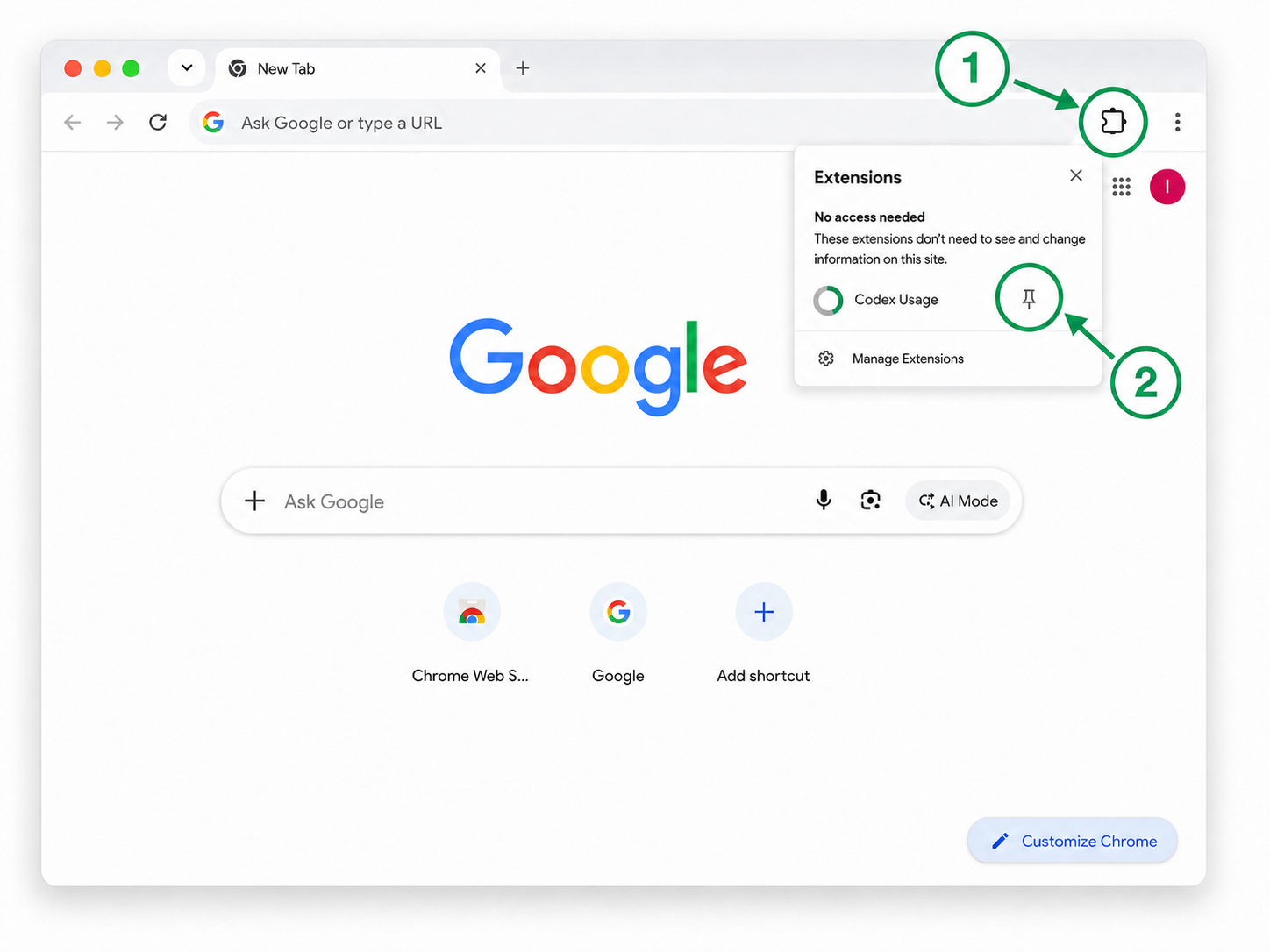
Pin it to Chrome in two quick steps.
- Select Chrome’s Extensions menu in the top-right corner.
- Find Codex Usage, open more options, then select Pin to Toolbar.
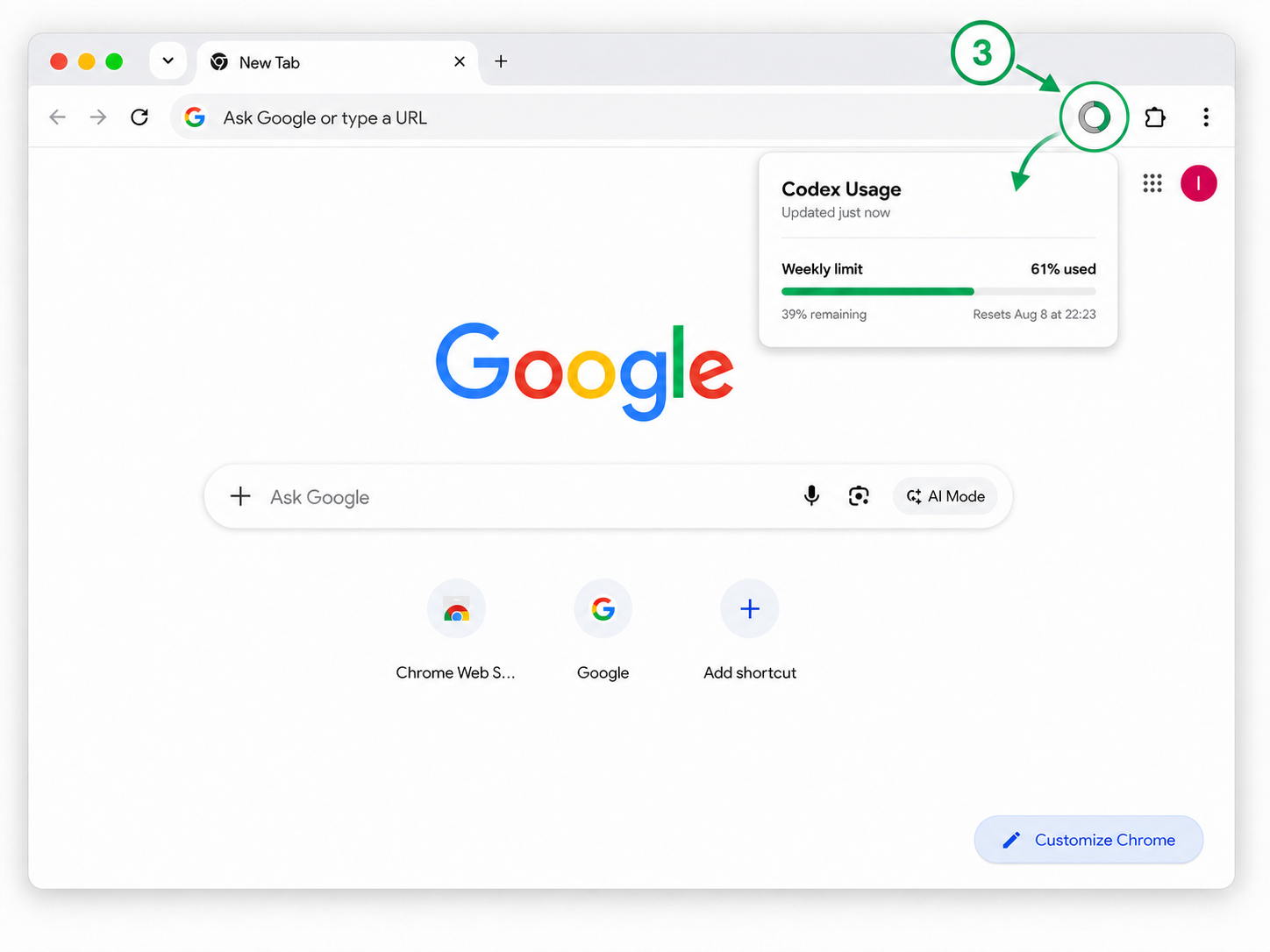
Step 3
Open Codex Usage
Select the pinned Codex icon whenever you want to check your current usage.
Private by design. Codex Usage is independent and is not affiliated with or endorsed by OpenAI.